Email Design Audit

Medtronic Email — Redesigned

Side-by-side comparison showing the current email versus a premium redesign for Sin City Diabetics.

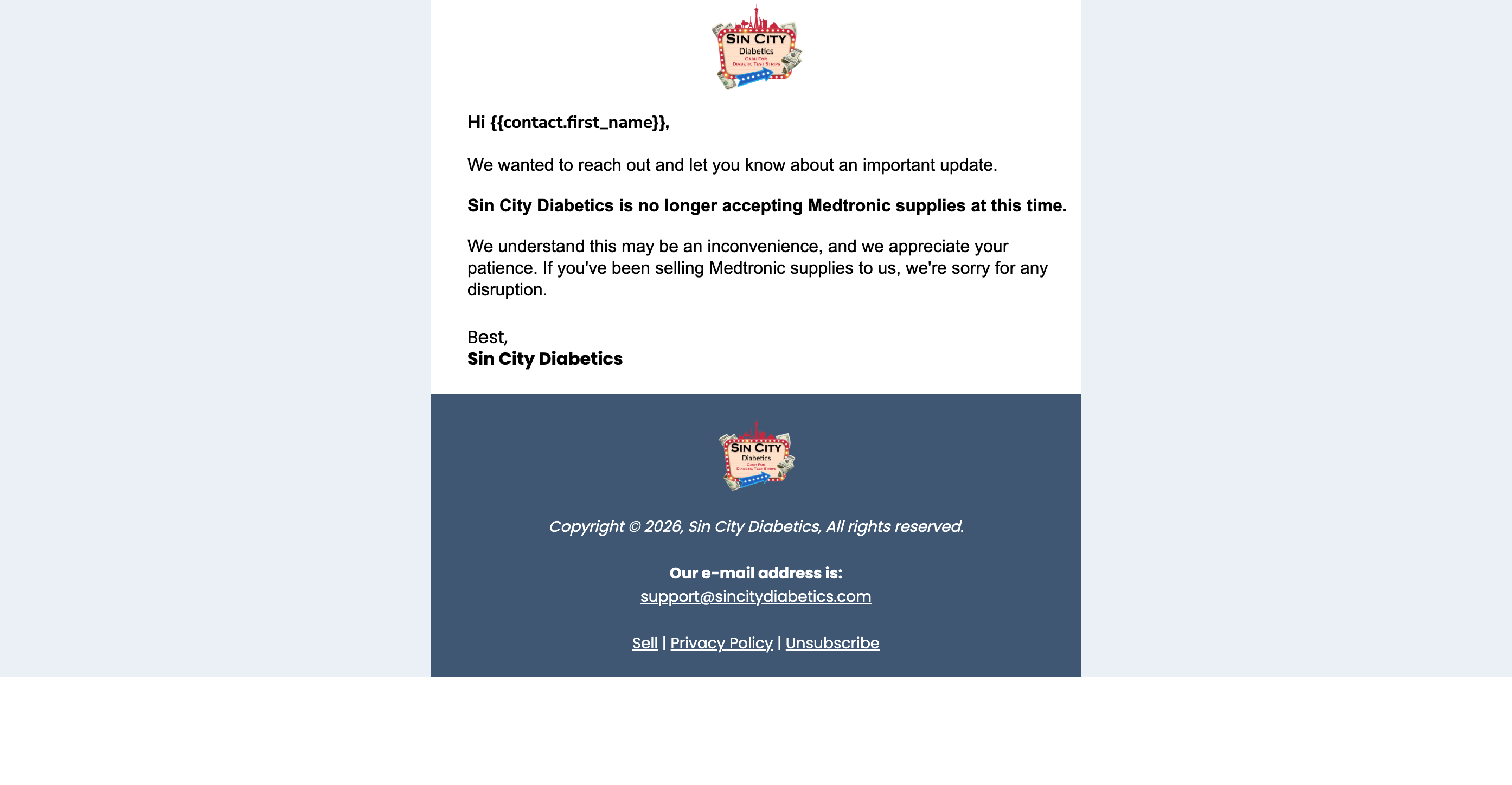
Current Version
Current Medtronic email design for Sin City Diabetics
Premium Redesign

What changed and why

Every tweak targets a specific problem in the original design.

Lavender background feels dated

The periwinkle/purple body background screams "default Mailchimp." Replaced with clean white — lets the content breathe and focuses attention on the message.

Branded header with red accent bar

Dark navy header with a red bottom border carries the Sin City brand. Logo appears once, properly sized, with a subtle brand name below.

Bold announcement gets lost

The key message was bold text inside a wall of text. Now it's in a red-tinted callout box with a left border — impossible to miss on a quick scan.

Added a CTA button

The original had no next step. A "See What We Accept" button gives readers somewhere to go — drives traffic back to the site and reduces support emails.

Duplicate logo and heavy footer

Logo appeared twice. The dark slate footer clashed with the purple body. Now it's a light, minimal footer — one line, not a second header.

Added reassurance copy

Original just said "we don't take Medtronic anymore." The redesign adds "we still accept Dexcom, FreeStyle Libre, Omnipod..." — reduces anxiety and keeps sellers engaged.

Cold sign-off

"Best, Sin City Diabetics" reads like a form letter. Changed to "The Sin City Diabetics Team" with location — feels like real humans wrote it.

Visual hierarchy through spacing

Generous padding, clear sections, and a single font with varied weights. The eye flows naturally: greeting, context, announcement, reassurance, action.

Three quick wins for any GHL email

Apply these patterns to every campaign email going forward.

1

Use a colored callout box for the key message

If there's one thing you need people to read, put it in a tinted box with a left border. Scanners will see it even if they skip everything else. Works for announcements, deadlines, offers, and policy changes.

2

Every email needs a button

Even an informational email should drive action. "See What We Accept" or "View Our Current Pricing" or "Contact Us" — give them a reason to click through to the site.

3

Kill the duplicate logo

Logo in the header is enough. The footer should be minimal text only: company name, location, legal links. A second logo makes it feel like an amateur template.